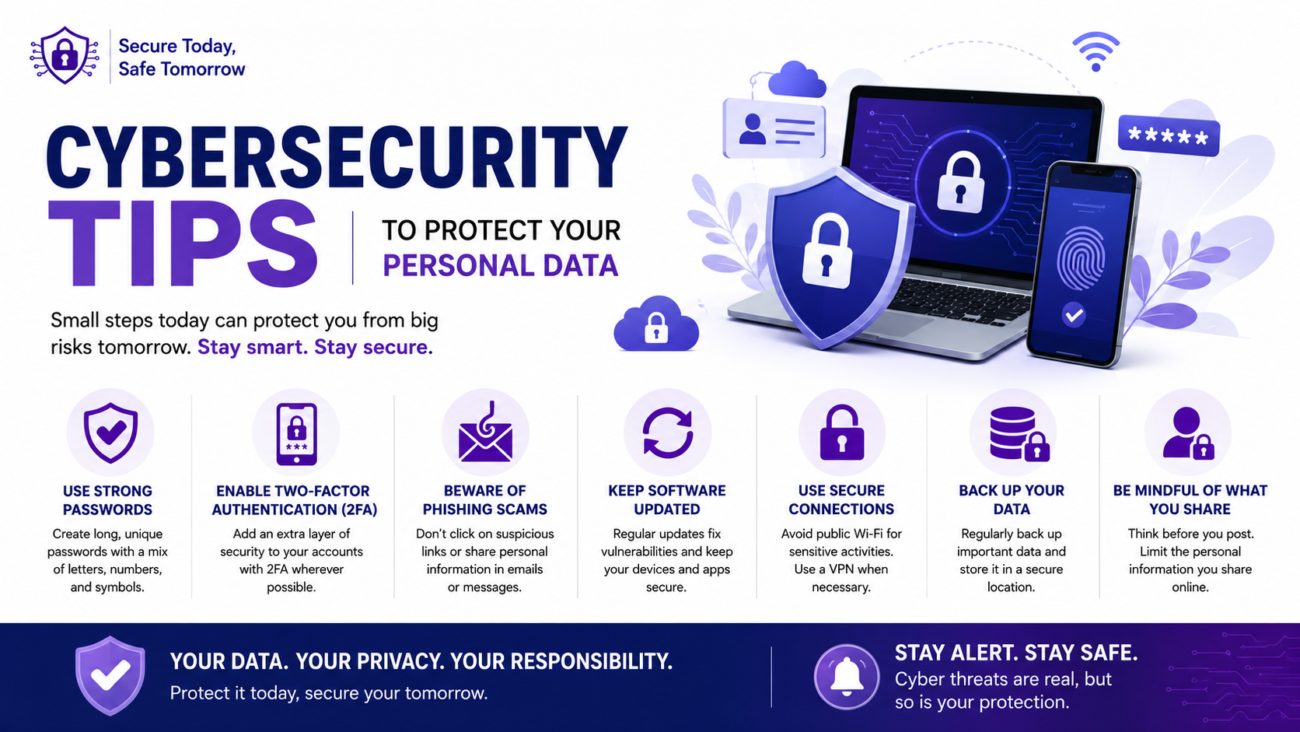
Every day, we share personal information online. We shop, pay bills, send emails, use social media, and store photos in the cloud. While these activities are convenient, they also make protecting personal data more important than ever.
Cybercriminals are constantly looking for ways to steal passwords, financial information, and personal details. The good news is that you don’t need to be a technology expert to stay safer online. A few smart habits can greatly reduce your risk.
In this guide, you’ll learn practical cybersecurity tips to help protect your personal data and use the internet with greater confidence.
Why Cybersecurity Matters
Your personal information is valuable.
If it falls into the wrong hands, it could lead to:
- Identity theft
- Financial fraud
- Account takeovers
- Privacy violations
- Data loss
Taking a few preventive steps today can help you avoid major problems later.
1. Create Strong, Unique Passwords
One of the simplest ways to improve your online security is to use strong passwords.
A good password should:
- Be at least 12 characters long
- Include a mix of uppercase and lowercase letters
- Contain numbers
- Include symbols when allowed
- Avoid personal information like birthdays or names
Most importantly, don’t reuse the same password across multiple accounts.
If one account is compromised, reused passwords make it easier for attackers to access others.
2. Turn On Two-Factor Authentication
Two-factor authentication, often called 2FA, adds an extra layer of protection.
After entering your password, you’ll also need a second verification step, such as:
- A code from an authentication app
- A security key
- A one-time verification code
Even if someone discovers your password, 2FA makes it much harder for them to access your account.
3. Keep Your Software Updated
Software updates often include important security fixes.
This applies to:
- Smartphones
- Computers
- Web browsers
- Apps
- Operating systems
Enable automatic updates whenever possible so you receive security patches quickly.
4. Be Careful with Suspicious Emails
Phishing emails are designed to trick people into revealing personal information.
Warning signs include:
- Unexpected attachments
- Requests for passwords
- Urgent language
- Misspelled company names
- Suspicious links
If something doesn’t seem right, don’t click the link. Visit the company’s official website directly instead.
5. Download Apps from Trusted Sources
Only install apps from official app stores or trusted software providers.
Before downloading:
- Read reviews.
- Check permissions.
- Verify the developer.
- Avoid unofficial download websites.
This reduces the chance of installing harmful software.
6. Use Secure Wi-Fi Networks
Public Wi-Fi can be convenient, but it may not always be secure.
When using public networks:
- Avoid online banking.
- Don’t enter sensitive passwords unless necessary.
- Turn off automatic Wi-Fi connections.
- Use a trusted VPN if you regularly connect to public Wi-Fi.
At home, secure your wireless network with a strong password and modern encryption.
7. Lock Your Devices
Always protect your devices with:
- A PIN
- A password
- Fingerprint recognition
- Face recognition
This helps keep your information safe if your phone, tablet, or laptop is lost or stolen.
8. Back Up Important Data
Hardware failures, theft, and ransomware can all lead to data loss.
Regularly back up important files such as:
- Photos
- Documents
- Financial records
- Personal projects
Use an external drive, secure cloud storage, or both.
Having backups makes recovery much easier.
9. Review Privacy Settings
Many apps and websites collect personal information.
Take a few minutes to review your privacy settings.
Limit access to information you don’t need to share, such as:
- Location
- Contacts
- Camera
- Microphone
Only grant permissions that are necessary.
10. Watch Out for Fake Websites
Some websites are designed to look like legitimate businesses.
Before entering personal information:
- Check the website address carefully.
- Look for spelling mistakes.
- Make sure the website uses HTTPS.
- Avoid clicking links from unknown messages.
Typing the website address yourself is often safer than following links.
11. Be Careful What You Share Online
Oversharing on social media can expose personal details.
Avoid posting information such as:
- Home address
- Phone number
- Financial details
- Travel plans while you’re away
- Copies of personal documents
The less sensitive information you share publicly, the better.
12. Monitor Your Financial Accounts
Check your bank and credit card statements regularly.
Look for:
- Unknown purchases
- Small unauthorized charges
- Suspicious transfers
Reporting unusual activity quickly can help limit financial damage.
13. Avoid Clicking Unknown Links
Links can appear in:
- Emails
- Text messages
- Social media
- Messaging apps
If you weren’t expecting the message, verify it before clicking.
When in doubt, contact the sender directly using official contact information.
14. Sign Out of Shared Devices
If you use a public or shared computer:
- Sign out of all accounts.
- Clear your browsing data if appropriate.
- Never save passwords on public devices.
This helps prevent unauthorized access later.
15. Learn About Common Online Scams
Cybercriminals regularly create new scams.
Common examples include:
- Fake package delivery messages
- Lottery scams
- Tech support scams
- Investment scams
- Fake online stores
- Romance scams
Being aware of these tactics makes them easier to recognize.
Everyday Cybersecurity Checklist
| Security Habit | Why It Helps |
|---|---|
| Use strong passwords | Makes accounts harder to access |
| Enable two-factor authentication | Adds extra protection |
| Update software regularly | Fixes security vulnerabilities |
| Avoid suspicious emails | Reduces phishing risk |
| Download trusted apps | Helps prevent malware |
| Secure your Wi-Fi | Protects your connection |
| Lock your devices | Prevents unauthorized access |
| Back up important files | Protects against data loss |
| Review privacy settings | Limits unnecessary data sharing |
| Monitor financial accounts | Detects fraud early |
Common Cybersecurity Mistakes
Many online security problems happen because of simple habits.
Avoid these mistakes:
- Reusing passwords
- Ignoring software updates
- Clicking unknown links
- Sharing too much personal information
- Using weak passwords
- Downloading apps from unofficial websites
- Leaving accounts signed in on shared devices
Small improvements can significantly increase your online safety.
Tips for Staying Safe Online
Good cybersecurity doesn’t have to be complicated.
Remember to:
- Think before clicking.
- Verify unexpected requests.
- Protect your passwords.
- Keep devices updated.
- Review account activity regularly.
- Stay informed about common online scams.
Building these habits helps protect your personal information over time.
Frequently Asked Questions
What is personal data?
Personal data includes information that can identify you, such as your name, address, email, phone number, financial details, passwords, and identification numbers.
Why is two-factor authentication important?
Two-factor authentication provides an extra layer of security by requiring a second verification step in addition to your password. This makes unauthorized access much more difficult.
How often should I change my passwords?
There’s no need to change passwords on a fixed schedule if they’re strong and unique. However, update them immediately if you suspect an account has been compromised or if a service reports a data breach.
Is public Wi-Fi safe?
Public Wi-Fi can be less secure than private networks. Avoid accessing sensitive accounts on public Wi-Fi unless necessary, and use additional security measures when possible.
What should I do if I think my account has been hacked?
Change your password immediately, enable two-factor authentication if it’s available, review recent account activity, and contact the service provider if you notice unauthorized access.
Final Thoughts
Protecting your personal data doesn’t require advanced technical knowledge. Most online threats can be reduced by following simple, consistent habits. Use strong passwords, keep your devices updated, stay alert for scams, and think carefully before sharing personal information online. Cybersecurity is an ongoing process, not a one-time task. The small actions you take today can help protect your information, your privacy, and your peace of mind in the future.
